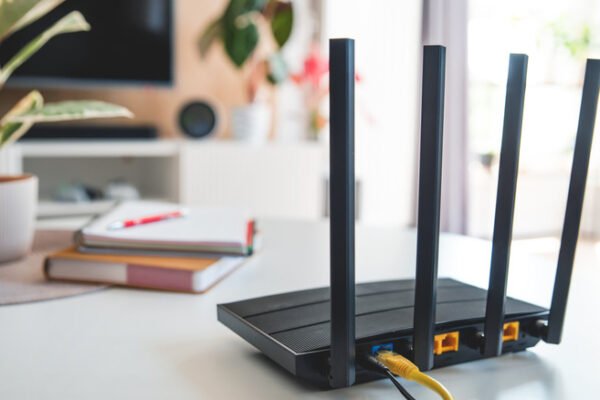
If you have ever opened your console’s network settings and noticed a label reading Open, Moderate, or Strict, you have encountered your NAT type for gaming. This setting often appears alongside warnings about matchmaking, but it is not always a problem. When games connect normally and voice chat works, there is usually no reason to change anything. The trouble starts when repeated disconnects or matchmaking errors point to a poorly configured network.
What NAT actually does

NAT stands for network address translation, and it exists because the original IPv4 addressing system has room for only about four billion unique addresses. That seemed generous in the 1980s, but the number became strained as households added many internet-connected devices. Internet service providers turned to NAT so that each home could share a single public IP address. A router translates traffic going in and out, letting every device inside the home operate under that one public address.
Most ordinary web traffic handles this translation without trouble. Real-time applications such as online games are more sensitive, and small inconsistencies introduced by those translation layers can matter. The newer IPv6 protocol offers enough addresses that NAT is unnecessary, since every device can have its own. Many modern devices support IPv6, but adoption is incomplete, and some equipment runs in a hybrid mode that uses IPv6 when possible and falls back to IPv4 when another part of the chain is incompatible.
Reading the three main ratings
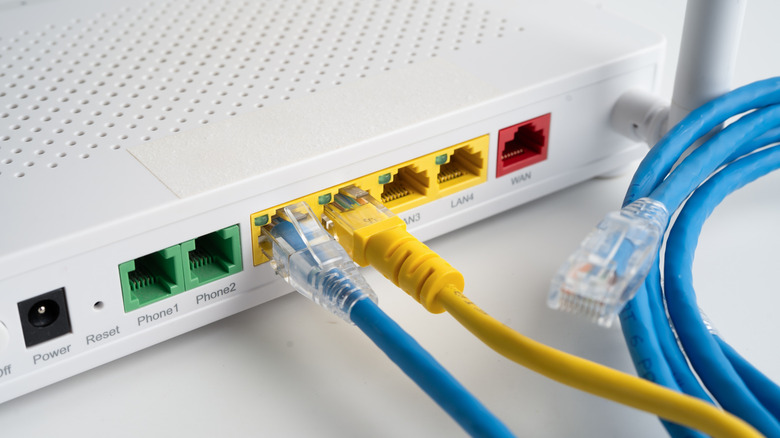
NAT type describes how well a device can communicate with the wider internet. Xbox and PC use Open, Moderate, and Strict. PlayStation labels the same three levels Type 1, Type 2, and Type 3. Nintendo Switch uses A, B, and C, with D for heavily restricted connections and F when the console cannot connect at all. These labels are not an official network standard, which explains why they differ from platform to platform.
An Open rating means the console or PC is directly connected to the internet with no restrictions on what it can reach. Strictly speaking, that is not NAT at all, but games still use the label. Moderate means the system sits behind a router yet can still communicate as needed. Strict means required ports are blocked and normal communication cannot take place.
Why Open is not automatically the goal

Open sounds ideal, but connecting a console or PC directly to the internet is impractical and insecure. It would typically require plugging the machine into the modem, which prevents a router from serving the rest of the home unless a network switch is added. More importantly, it removes the router’s firewall and other protections from the traffic.
Compatibility changes with each level. An Open connection can reach anyone. Moderate can connect to other Moderate or Open players. Strict is the most limited, since it can only play with Open connections. Games often choose an Open player as host, while a Strict connection is more likely to produce matchmaking errors or prevent joining friends. The effect is strongest in peer-to-peer games rather than those running on developer-provided servers. Even server-based games may use peer-to-peer connections for voice chat, custom lobbies, or co-op campaigns. NAT type does not change network speed or ping; it only determines who a console can talk to.
Checking your rating

On PS5, open Settings, go to Network, choose Connection Status, and run Test Internet Connection. On Xbox Series X|S, open Settings, select General, then Network Settings, and look under Current Network Status. On Switch or Switch 2, go to Settings, then Internet, and choose Test Connection. Some games also display NAT information in their network settings or on the multiplayer menu.
Open or Moderate ratings, or their Type 1, Type 2, A, or B equivalents, are generally fine for multiplayer. A worse rating calls for a few network adjustments, though no simple toggle fixes it.
Common causes and fixes for Strict NAT

Start by confirming that only one router is active. Two routers create double NAT, meaning address translation happens twice. If a router sits behind an ISP gateway, putting the gateway in bridge mode prevents the problem. A second router used as an access point should be set to AP mode so it does not perform router functions a second time.
Beyond that, the most frequent remedy is enabling UPnP, or Universal Plug and Play, on the router. Strict NAT usually occurs because games and online services cannot reach the console through the necessary ports. Forwarding those ports manually works, but doing it for every game is inconvenient. With UPnP enabled, devices on the network can request the ports they need and have them opened automatically. That convenience carries security risk: anyone who gained access to the network could abuse UPnP to open ports and gain more control. A UPnP test can show whether the network responds to UPnP requests from outside the home LAN, which would be more dangerous. For people who play only a few games, manual port forwarding is often worth the added security.
If those steps fail, carrier-grade NAT, or CGNAT, may be responsible. This occurs when an ISP applies NAT across entire service areas, adding another translation layer beyond the router’s public address. IPv6 can work around CGNAT, though Xbox is the only console that uses it fully; PS5 and Switch 2 support IPv6 but still require IPv4 alongside it. When enabling IPv6 on the router is not enough, contacting the ISP to request a dedicated public IP is the next step.