Most people treat their iPhone as a place to stash screenshots and links they never revisit. The Freeform app on iPhone offers a different approach: a free, infinite digital whiteboard where scattered material can be arranged into something that actually makes sense. Apple introduced the app in 2022, and it remains available at no cost, without a separate subscription.
What the canvas can hold

Opening a new board gives you a blank surface that grows as you add content. You can draw with a finger, drop in photos, add sticky notes, and reposition items until a structure emerges. Arrows can link related pieces, and you can zoom out for the overall or move in close to refine details.
An Apple Pencil is not mandatory. Owners of an iPhone Duo running iOS 27.2 or later can use the Apple Pencil (USB-C) to sketch directly inside Freeform. Boards also accept videos, PDFs, website links, and text boxes. Images from Photos and links from Safari can go straight to a board through the Share menu, skipping the copy-and-paste step.
The format suits work that is easier to show than describe. You might map out a video by placing reference images and notes for each shot, then rearrange scenes as the concept changes. A DIY project can live on the same canvas, with drawings and measurements positioned next to the steps they belong to. Not every task needs an infinite surface, though. A grocery list, for example, is probably better off in a simple list.
Updates since launch
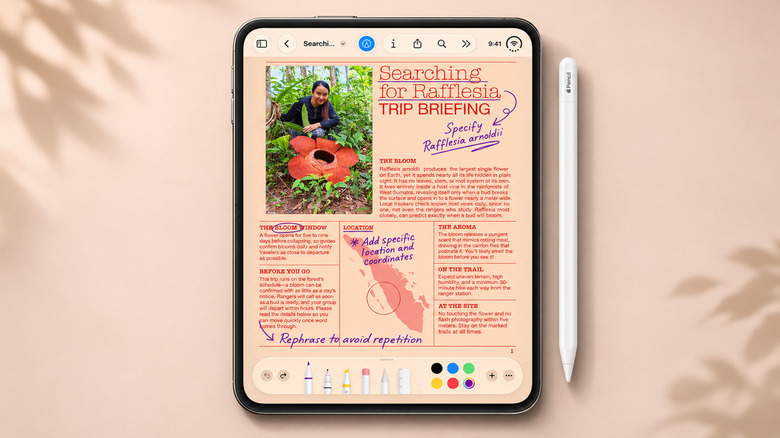
Freeform arrived with iOS 16.2. Since then, Apple has added Dark Mode and folders in iOS 27. On compatible iPhones, Playground can generate illustrations for boards, but Freeform does not require Apple Intelligence to function.
Working with other people
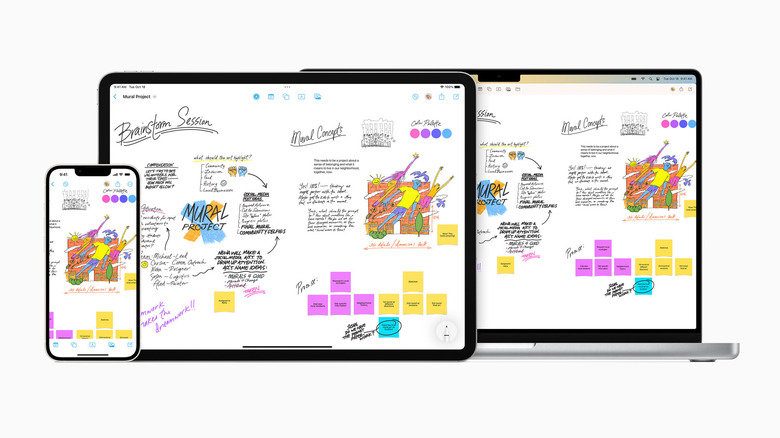
Boards can be shared, and changes made by participants appear in real time. That makes it possible for a group to plan a trip or coordinate a project without digging through old message threads. Content syncs through iCloud across iPhone, iPad, and Mac, and a larger screen is a genuine advantage once a board gets busy.
Collaboration does come with conditions. Each person needs a compatible Apple device, an Apple Account with two-factor authentication, and Freeform enabled in iCloud. There is no Android app and no browser-based editor, so groups using mixed devices would be better served by a cross-platform whiteboard such as Miro. If someone only needs to see the finished board, it can be exported as a PDF.
The expanding canvas has drawbacks of its own. Large boards can become awkward to navigate, especially on an iPhone’s smaller display. That may be a problem an iPhone Duo is better equipped to handle.
Cost and availability

Creating and sharing boards remains free. Apple’s optional Creator Studio subscription, priced at $12.99 per month in the U.S., is not needed for basic brainstorming, though it adds premium assets and advanced AI -generation tools on compatible iPhones. Anyone who previously deleted Freeform assuming it was unwanted preinstalled software can download it again from the App Store.