Canon free 3D photo software — Canon’s free 3D software, released in October 2026, turns still images into immersive 3D models, but it only works with a specific set of cameras and lenses. The tool, called Dual Pixel 3D, relies on the company’s Dual Pixel CMOS AF sensor technology, which is found on select EOS R series models. If your camera lacks that sensor, the software won’t recognize your files.
The software exports 3D renderings in OBJ, GLB, and MP4 formats, adding depth and texture to photographs without requiring special glasses or extra equipment. Canon currently offers the download at no cost, though the company’s press release notes that specifications and terms of use may change in the future—a caveat that has led some to speculate about a possible paid or subscription model later.
There’s also a system requirement: the converter runs only on Windows 11, 2024 version or later. After downloading the ZIP file, users extract it, open the installer, and proceed through location, language, and licensing screens before the app is ready.
Which EOS R cameras are compatible?

Dual Pixel CMOS AF was introduced by Canon in 2013. Each pixel has two photodiodes that can be combined for a standard 2D or read separately. The 3D software processes those phase differences through a proprietary algorithm to produce a 3D rendering.
The earliest compatible camera is the EOS R5, which launched in 2020. The full list of supported bodies includes:
- EOS R5 Mark II
- EOS R5
- EOS R6 Mark III
- EOS R6 Mark II
- EOS R7
- EOS R8 Mark II
- EOS R8
- EOS R10
These cameras use Canon’s RF mount, a 54mm-diameter system that shortens the distance between lens and sensor. The EOS R series offers high-speed shutters, 12-pin communication, 4K video at 120p, 8-stop stabilization, and advanced subject detection.
Compatible RF lenses
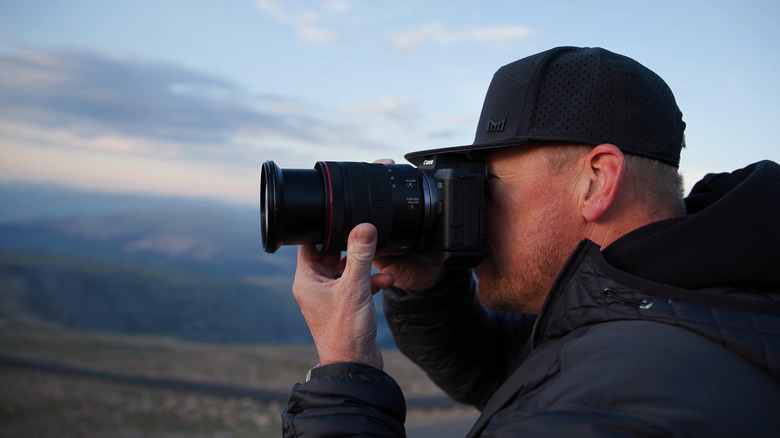
A compatible camera body must be paired with one of the following RF lenses:
- RF24-70mm f/2.8 L IS USM
- RF24-50mm f/4.5-6.3 IS STM
- RF24-105mm f/4 L IS USM
- RF24-105mm f/4-7.1 IS STM
- RF35mm f/1.8 MACRO IS STM
- RF50mm f/1.8 STM
- RF70-200mm f/2.8 L IS USM
- RF70-200mm f/4 L IS USM
- RF85mm f/2 MACRO IS STM
- RF100mm f/2.8 L MACRO IS USM
- RF-S18-45mm f/4.5-6.3 IS STM
- RF-S18-150mm f/3.5-6.3 IS STM
Settings and shooting tips for better 3D results
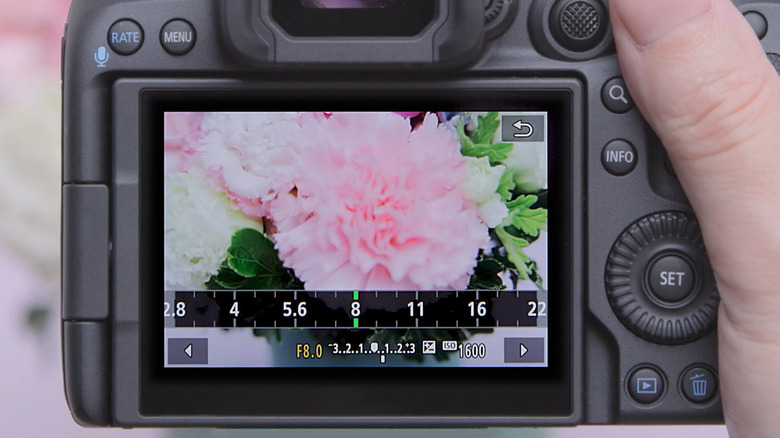
Canon recommends an aperture between f/5.6 and f/8 to maintain subject depth and reduce conversion errors. Keep ISO at 1600 or lower to limit noise; 3D models cannot be generated from images shot above ISO 3200. Depending on whether you shoot RAW or JPEG, enable Dual Pixel RAW or Add Distance to JPEGs in the camera menu.
For subject matter, matte textures and simple, thick shapes work best—think flowers with rounded petals, low-gloss plants and leaves, ceramic items, shallow plates, or food with rounded forms. Avoid slender objects, strong reflections, multiple blind spots, or significant blur.
When composing the shot, center the subject and leave generous space around it. A slightly elevated angle helps reduce blind spots. Keep the subject at a distance of five to ten times the focal length. If the subject is dark, use the camera’s flash or an external light.
After capture, import the into the Dual Pixel 3D Converter. Recent photos appear as thumbnails in the browser on the left side of the screen. The 3D Model Settings tab lets you customize the generation process. Once the model is created, export it as an OBJ, GLB, or MP4 file for use in external 3D editing software.