When you’re spending serious money on a new computer, it’s fair to ask how long a PC processor lasts before it needs replacing. The reassuring answer is that, under normal conditions, your CPU is unlikely to wear out from everyday use. Manufacturers don’t publish specific lifespans, but processors often remain functional for a decade or more after installation. The more common scenario is that you’ll choose to upgrade because newer games or programs demand more power—not because the chip itself has died.
Why CPUs Rarely Fail from Age
Processors are remarkably durable. The most frequent time for a CPU to fail is actually when it’s brand new. Manufacturing defects occasionally slip through, and when they do, the chip usually causes problems right away. If your processor has been running well for a long time, the odds of a sudden age-related failure are low.
That said, hardware can misbehave. Warning signs include unexplained freezes, failure to boot, or random restarts. These symptoms can also come from other components, which makes it hard to pin the blame on the CPU. Diagnosing a processor fault is as difficult as it is uncommon.
Is Your CPU Outdated or Actually Failing?
Before assuming the worst, check whether the processor is simply struggling to keep up. Open Task Manager and look at the Performance tab. Under normal conditions, CPU usage should almost always stay below 20 percent. Short spikes are normal, but if the processor is constantly near its limit, an upgrade may be worthwhile.
Intensive tasks like gaming will push usage higher. However, if it stays at 90 percent or more while GPU usage remains low, that’s a potential red flag. In that case, the CPU may be holding back the rest of your system rather than failing outright.
Heat Is the Real Threat
The biggest stressor for any PC is heat, which degrades every component over time. Good airflow is your best defense. Install fans properly and clean dust out of the case regularly. Monitoring tools such as HWiNFO can help you keep an eye on temperatures. As a general guide, if your CPU climbs above 60 degrees Celsius under normal load or above 80 degrees during intensive tasks, it’s worth investigating improvements. These numbers can vary by processor, so manufacturer recommendations should take priority when available.
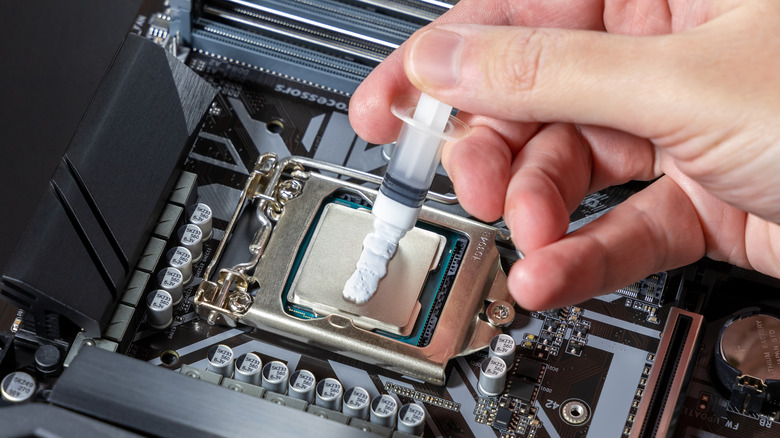
If temperatures run high, consider replacing the thermal paste on your CPU. It can last five years or more, but it eventually becomes less effective at transferring heat. Overclocking—running the chip faster than the manufacturer’s specifications—can also shorten its lifespan, though a safely overclocked CPU will usually still last until it’s obsolete.
Other Risks: Power Surges and Faulty PSUs
Apart from time and heat, the most likely threats to a processor are power surges and a faulty power supply. These events are rare, but they remain more probable than a CPU simply going bad with age. Pinpointing exactly which component is failing can be difficult without a professional technician.
With even minimal care, though, your processor should keep running well past the point when you’re ready to upgrade. The takeaway is simple: focus on airflow, dust control, and temperature monitoring, and your CPU will likely serve you until newer software makes it obsolete—not until it breaks.