

If you have ever wondered how much of your day disappears into YouTube, the platform offers a built-in way to find out. The YouTube watch time stats feature, tucked inside the mobile app, shows your daily viewing, a seven-day average, and how your current week compares to the one before. It works similarly to Digital Wellbeing on Android or Screen Time on iOS, but it is limited to YouTube activity. The tool has been available for years and does not require a YouTube Premium subscription, though your results depend on one key setting.
Watch History must be on
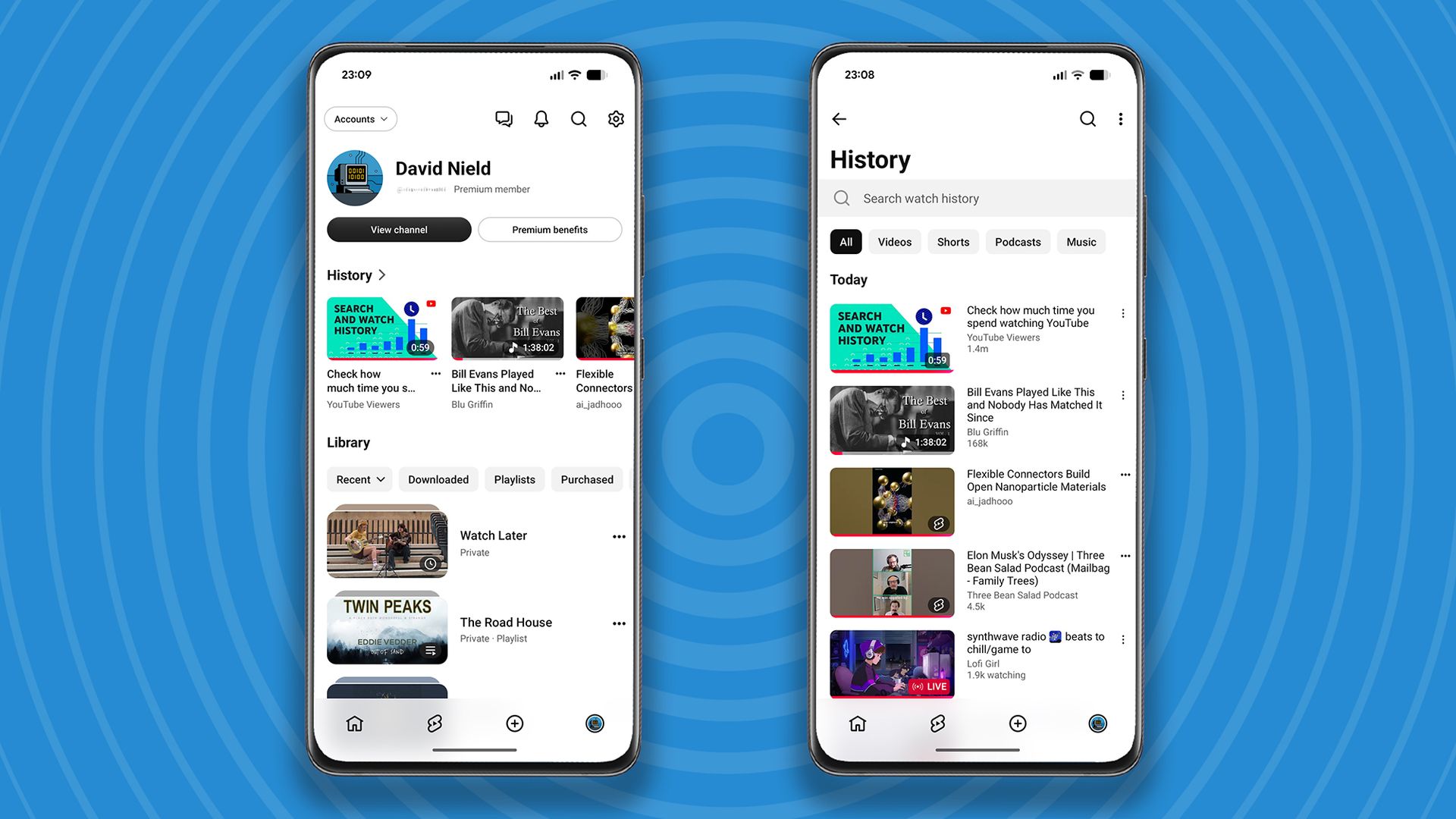
The viewing statistics only appear if YouTube Watch History is enabled. To check or change this, open the mobile app, tap your profile in the bottom right corner, tap the cog icon, and select Manage all history. The same settings are available on the web. With Watch History active, you can also open your History from the profile menu or the left-hand navigation on the web to see recent videos, search your record, delete everything you have watched, or pause the history entirely.
Turning Watch History on is a trade-off. It gives Google more information about your viewing behavior and can make it harder to escape recommendation loops. On the other hand, it helps YouTube suggest videos that are at least somewhat related to your interests, which can be useful for finding new music or other content. For a more complete record, Google Takeout can export a CSV file listing every video you have watched on the platform, provided Watch History has always been on.
Where to find your stats
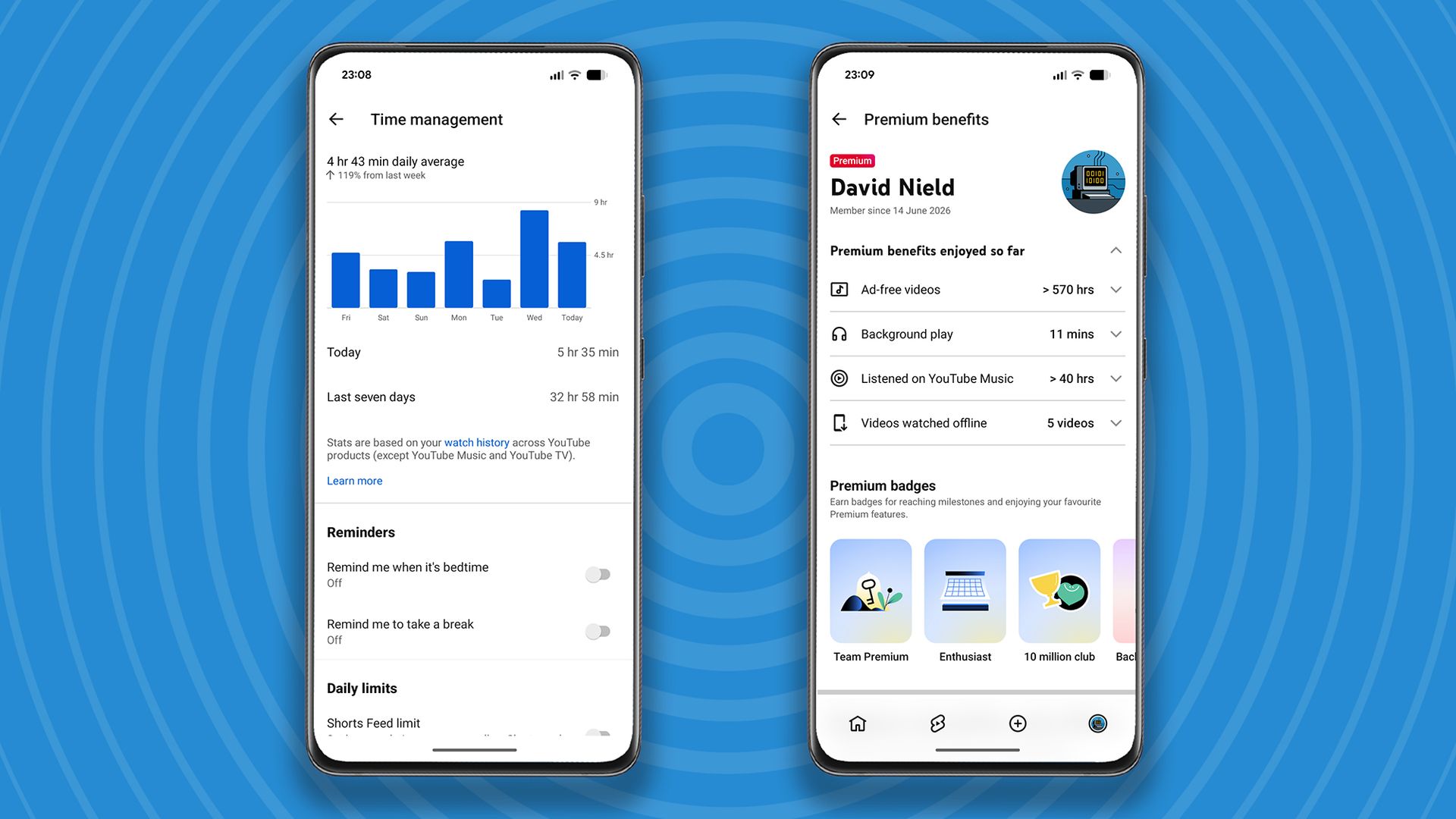
To see your YouTube watch time stats, open the YouTube app on Android or iOS, tap your profile avatar in the bottom right, tap the cog icon in the top right, and choose Time management. The feature is not currently available through YouTube on the web. The screen does not offer a detailed breakdown of what you have been watching, but it does show running totals, your average for the past seven days, and a comparison with the previous week so you can see whether your viewing is rising or falling.
The numbers cover viewing across all devices as long as you were signed in. They do not include videos you have deleted from your Watch History or anything watched in incognito mode. They also exclude viewing inside the YouTube Music apps and on the YouTube TV platform.
What the numbers can reveal
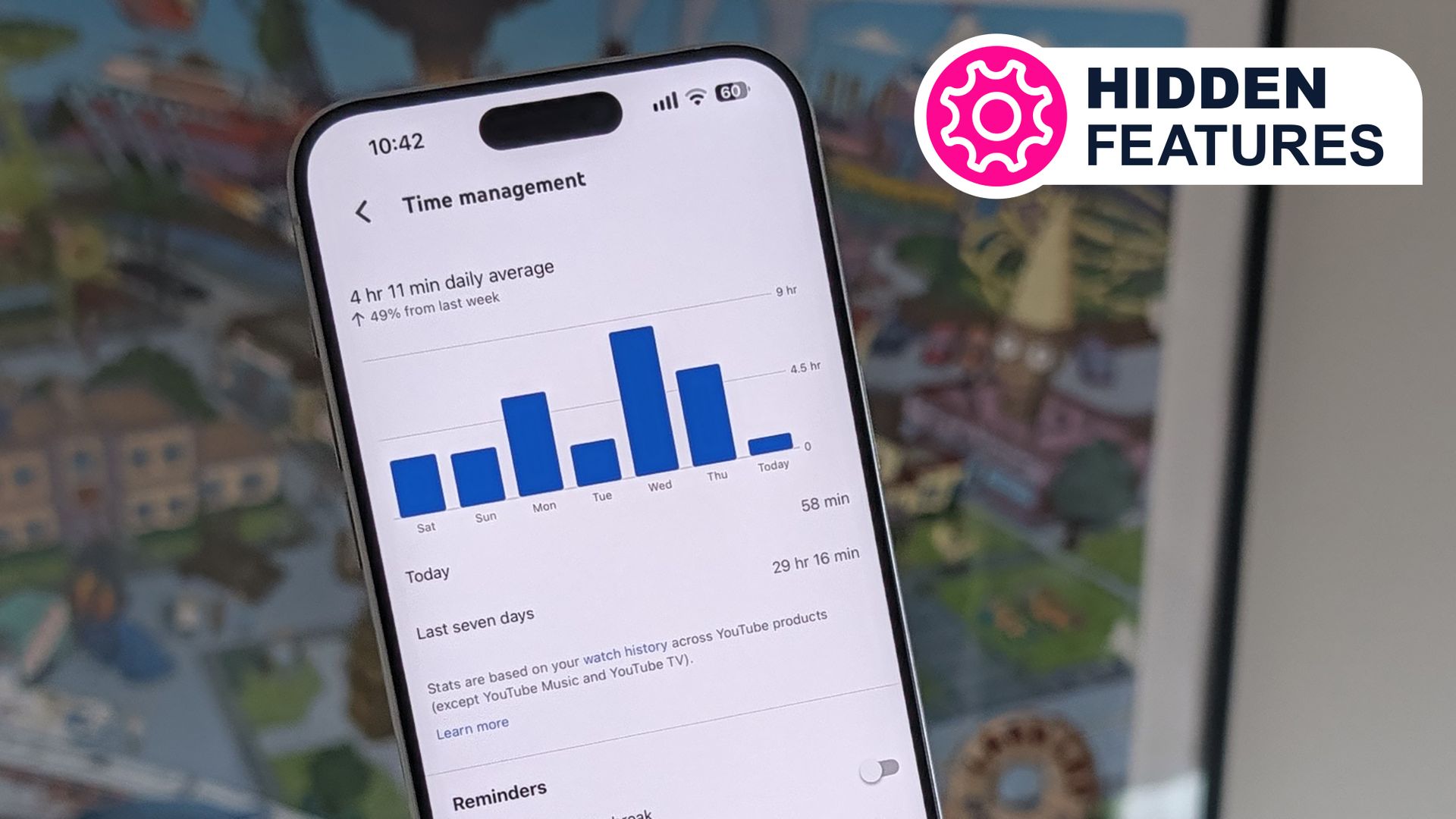
One tech journalist was surprised to find an average of almost five hours a day on YouTube. That total included lo-fi music videos played while working, along with tech reviews, explainer videos, and podcasts that have recently moved to video. The figure was high enough to justify a YouTube Premium subscription for that person, if only to avoid hours of ads. YouTube Premium also reports how many ad-free videos you have watched on a separate page.
The Time management screen is not just for observation. It includes toggle switches for bedtime reminders, break reminders, and a daily limit on YouTube Shorts. These controls can help if you want to reduce the amount of time you spend watching clips day to day.
How to check your own viewing
- Open the YouTube mobile app and tap your profile .
- Tap the cog icon to open settings.
- Select Time management.
- Review your daily total, seven-day average, and week-to-week comparison.
- Use the available toggles to set reminders or limit Shorts viewing.
If the stats do not appear, confirm that Watch History is turned on under Manage all history. The feature is a straightforward way to see how much time YouTube takes up and to decide whether any adjustments are needed.

