

Google Forms is gaining a new layer of intelligence. Google has begun rolling out Google Forms Gemini insights, a feature that analyzes form responses, surfaces trends, and suggests next steps directly from the Responses tab. The tool is designed to help users move from raw data to action more quickly.
What the Gemini insights do
Once enabled, the feature uses Gemini to examine submitted answers and identify patterns across them. According to Google, it can reveal how different answers connect, provide a summary of key takeaways, and recommend actions based on what the data shows. The aim is to make form results easier to interpret without manual analysis.
Google offered examples of how this might work in practice. For a registration form, the insights could indicate who is signing up. For an event feedback form, they could highlight what respondents valued most. In both cases, the feature is meant to distill large volumes of responses into a quick overview.
Who gets access

The rollout is gradual and is limited to certain Google accounts. Google AI Pro and Ultra subscribers are included, as are Business, Enterprise, and Education customers. Google notes that it may take up to 15 days for the feature to become visible after the rollout begins.
The addition of Gemini to Forms fits a broader pattern of embedding generative AI into productivity tools. For Forms users, the practical change is a new option in the Responses tab that can handle summarization and pattern-spotting that would otherwise require manual review or separate analytics tools.
Why it matters for form creators

Forms are often used to collect information at scale, but turning that information into decisions can be time-consuming. The Gemini insights feature aims to shorten that gap by presenting trends and recommendations alongside the responses themselves. For teams running registrations, feedback surveys, or other data-collection efforts, the feature could reduce the need to export responses or build custom reports.
Google has not detailed every capability of the feature, but the core functions are clear: analyze responses, uncover trends, summarize key points, and suggest next steps. The company is positioning the update as a way to act on results faster rather than simply view them.
Rollout timing and visibility
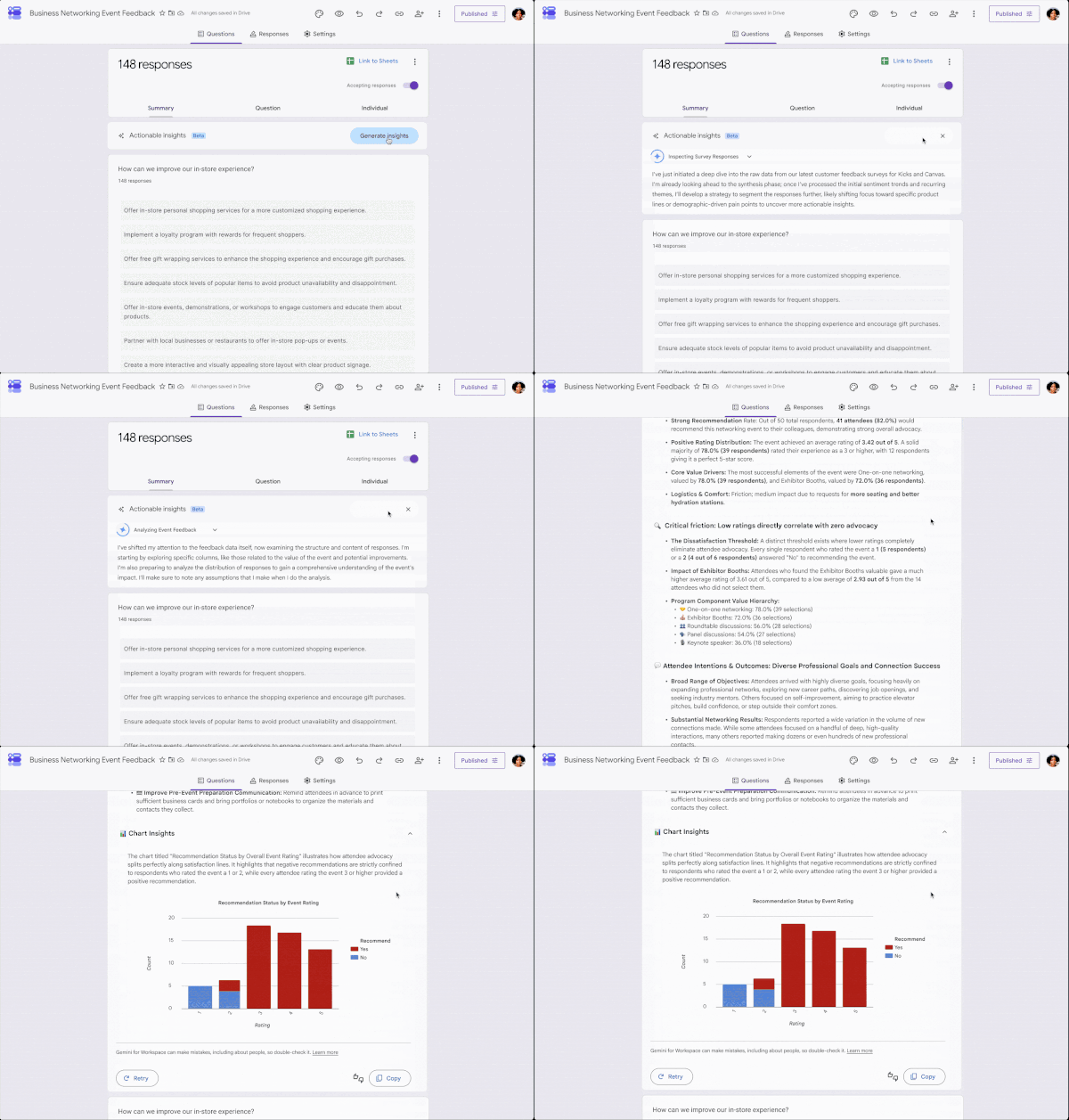
The gradual rollout has already started. Eligible users may not see the feature immediately, and Google advises that visibility could take up to 15 days. Once available, the insights appear within the Responses tab of a form, alongside the existing response data.
For organizations already using Google Forms, the update adds a new reason to check the Responses tab more frequently. Instead of scanning individual submissions, users can look for the Gemini-generated overview and recommendations to guide their next steps.


