OpenAI’s latest ChatGPT upgrade, powered by the new GPT-6 model, includes a feature called Intelligent UI that changes the chat window from a text-based exchange into a space where you can build and manipulate interactive tools. The ChatGPT Interactive UI can generate graphics, buttons, charts, maps, sliders and other controls directly in the conversation, with no fixed format. You can request a specific layout or leave the presentation choices to the model.
Six different prompts were used to test whether the feature could produce genuinely helpful tools rather than momentary novelties. Some prompts were tightly scripted; others left more room for ChatGPT to decide what to build. The results ranged from practical to gimmicky, and a consistent lesson emerged: the best outcomes came from guiding the system carefully, customizing controls and iterating on the output.
Room planning without a separate app
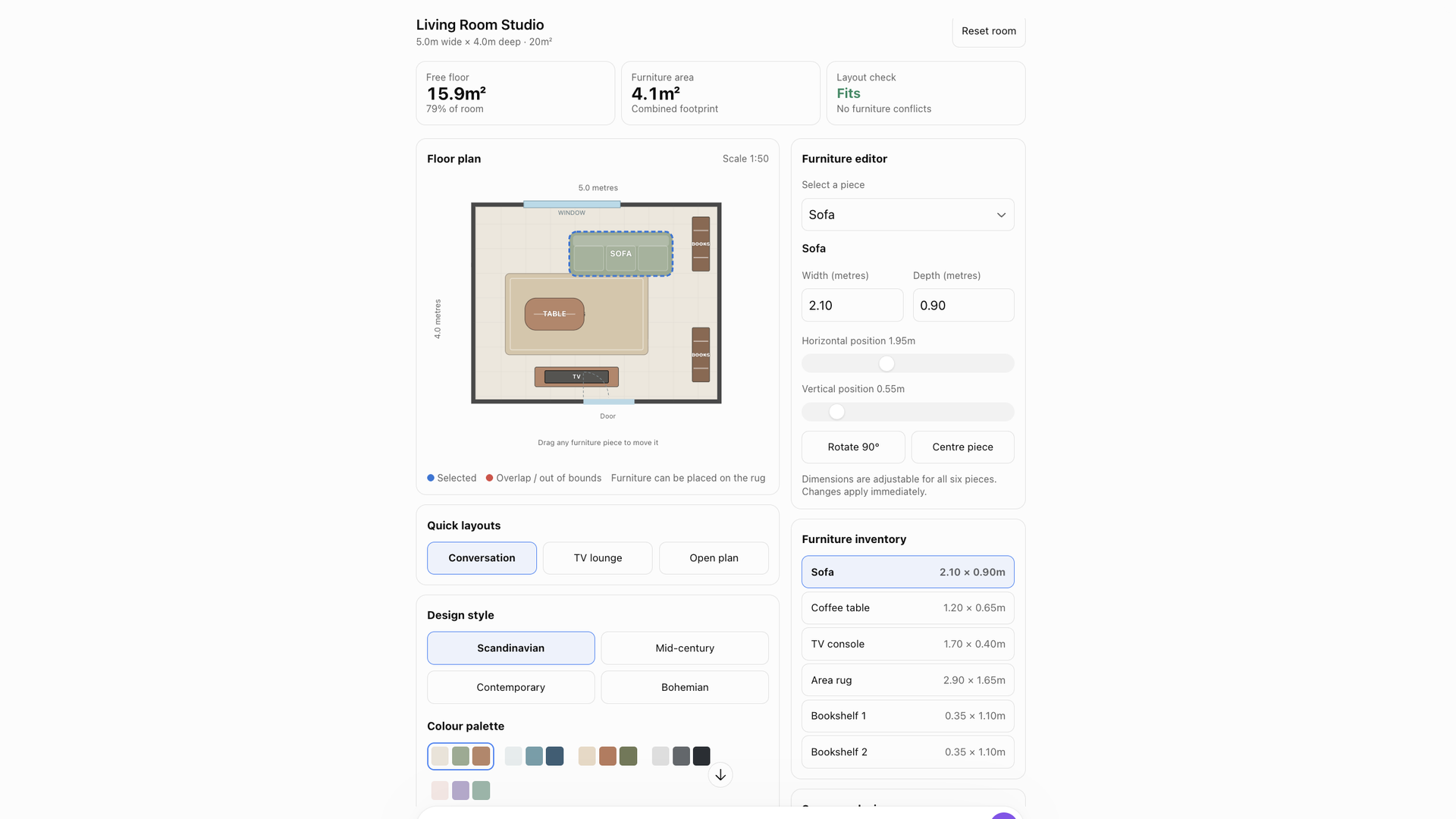
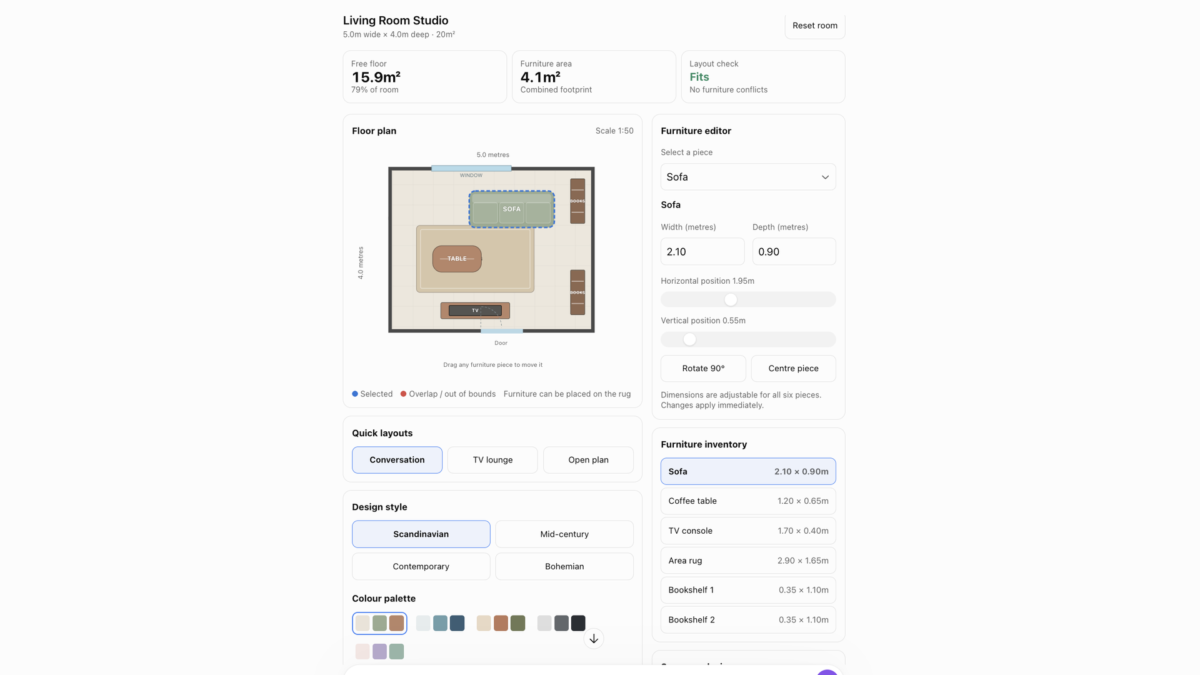
An interior design prompt asked for a visual floor plan of a living room containing a sofa, coffee table, TV, rug and two bookshelves, with controls to rearrange furniture, switch color schemes, toggle design styles and adjust dimensions. The goal was to judge whether furniture fits and how much floor space remains.
ChatGPT produced a room where furniture could be dragged and dropped. It responded quickly to changes and offered many customization options. The tool was useful for rough layout experiments, but its measurements and calculations were not independently verified, so it is not yet reliable enough to guide major furniture purchases.
Ethics questions with a final framework breakdown
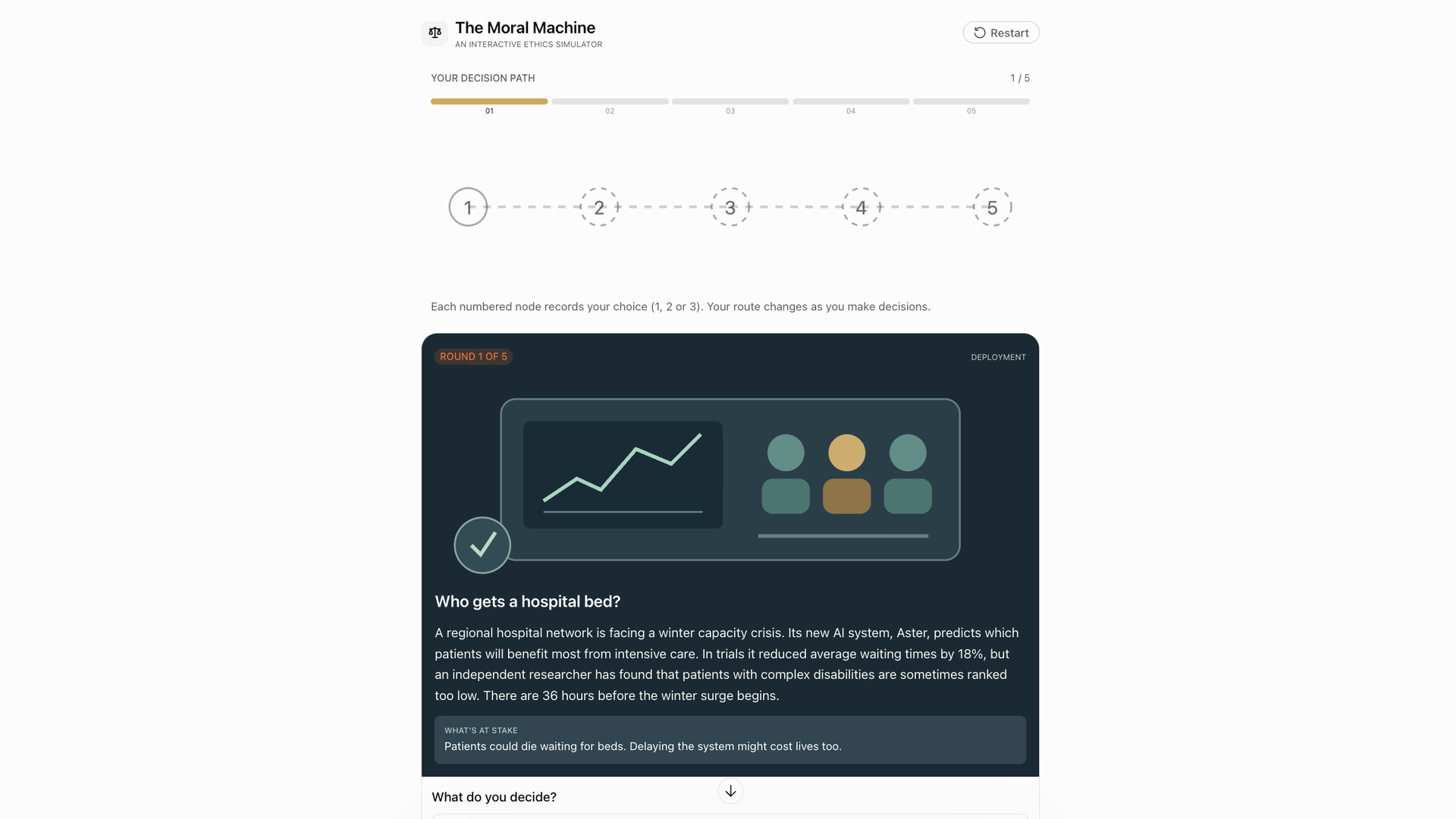
Another prompt requested an interactive ethical dilemma simulator focused on artificial intelligence, privacy, technology and human behavior. The interface presented realistic scenarios and asked for choices between possible actions, then provided a final breakdown of those decisions through different ethical frameworks.
ChatGPT generated a set of questions and charted the results. The dilemmas were topical, and seeing decisions analyzed through multiple frameworks prompted reflection. Still, the exercise raised a question about how deeply a system without its own moral experience can help with complicated human decisions.
Five-year scenarios with sliders
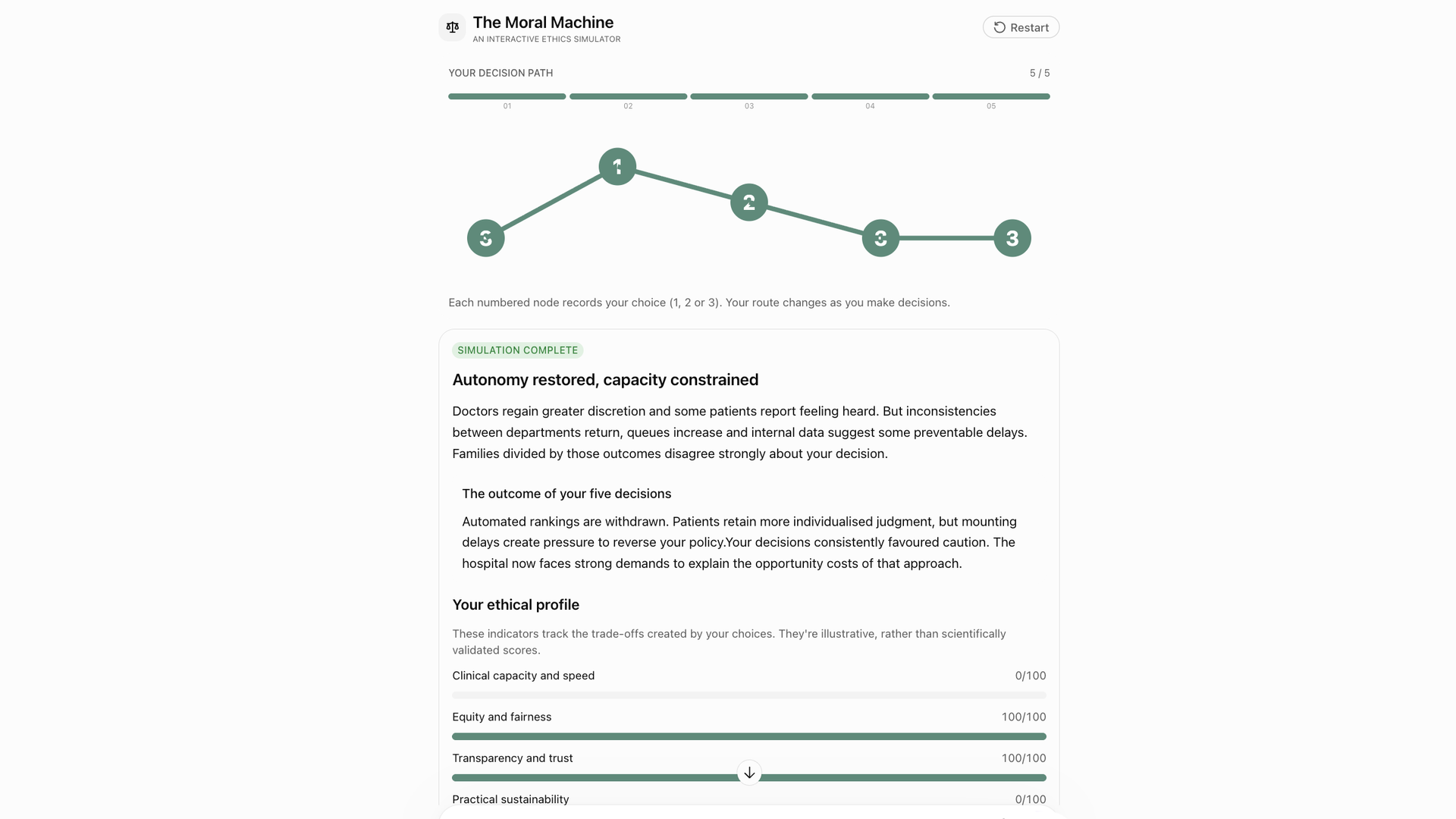
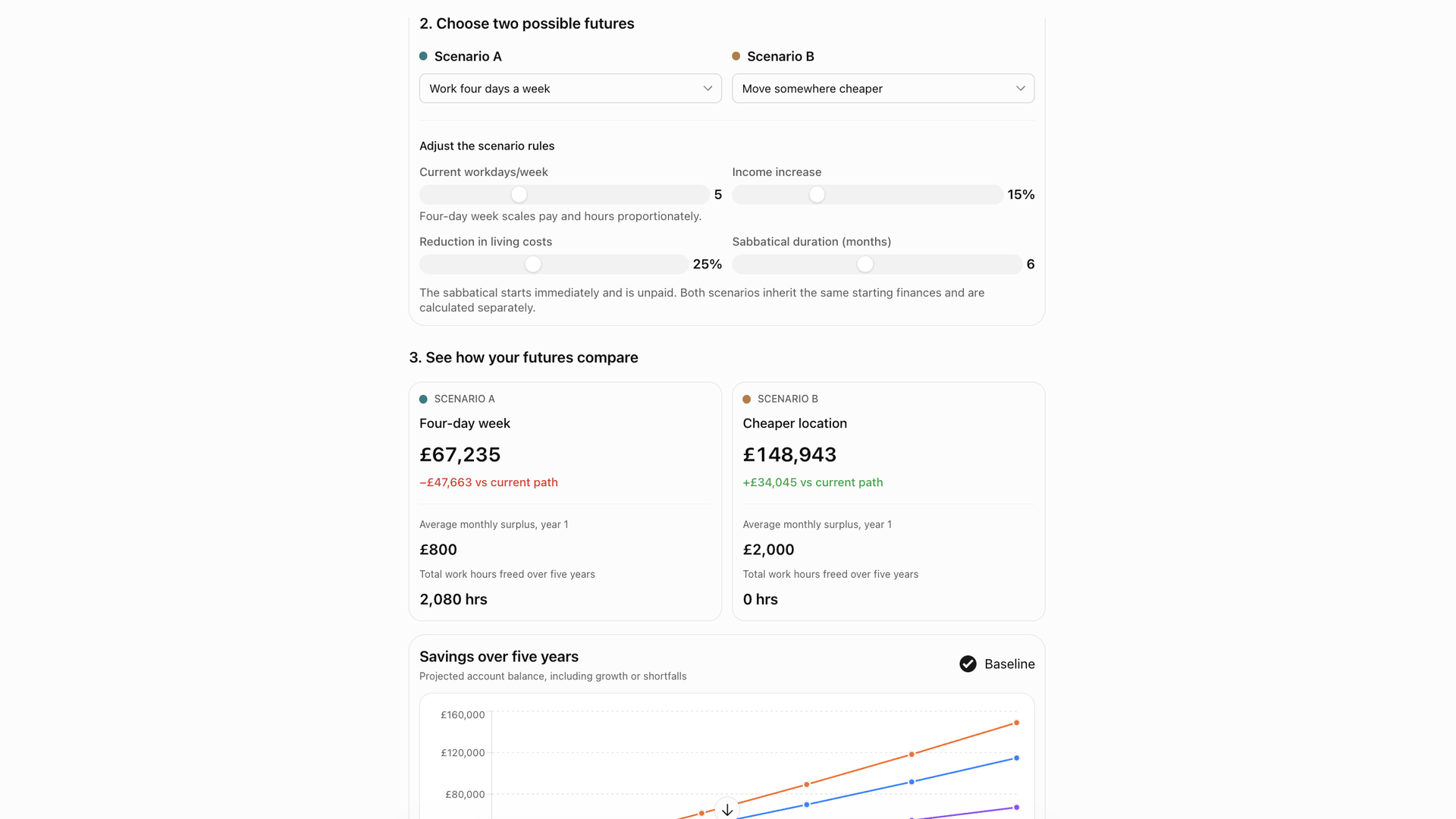
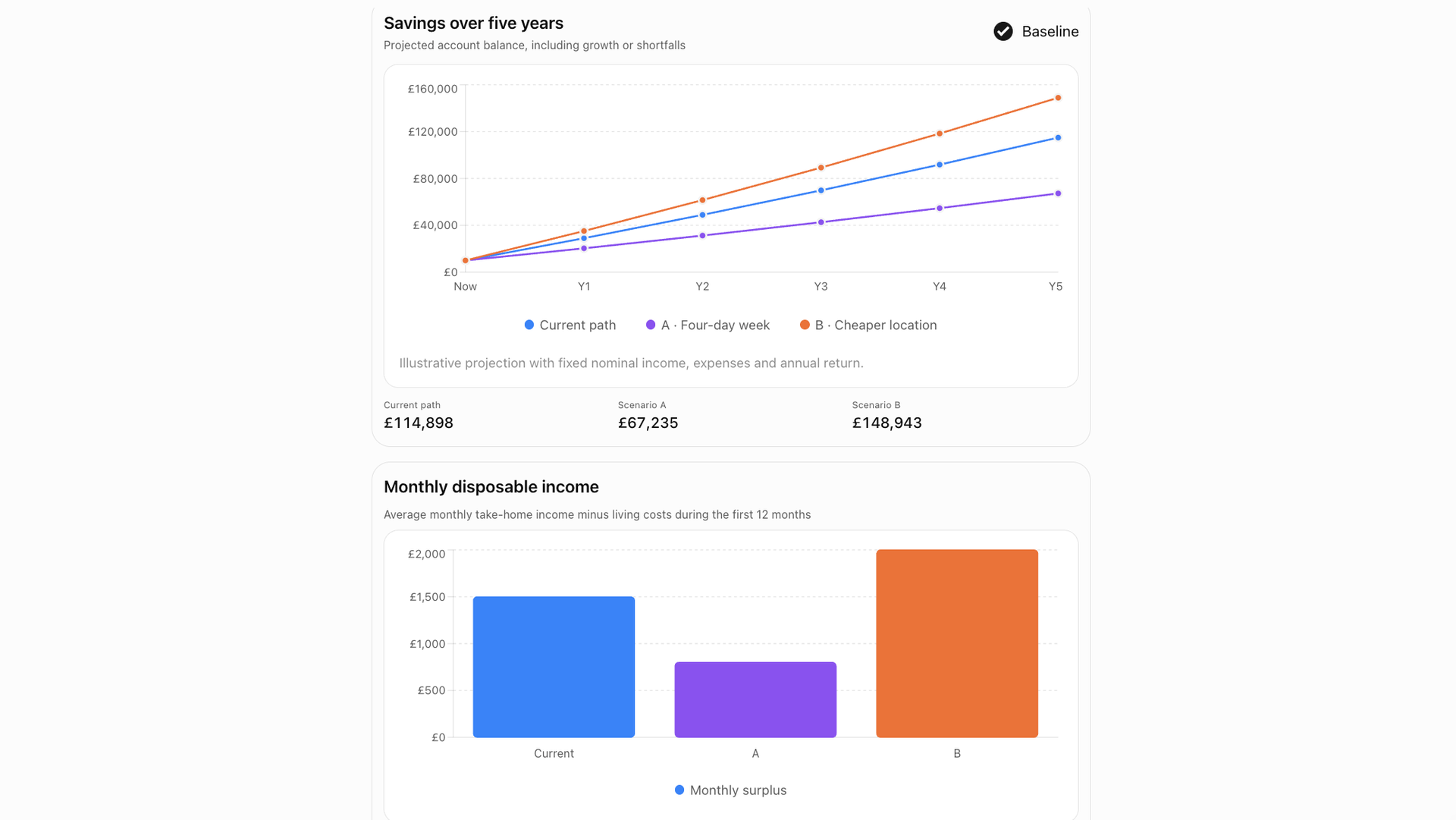
A life decision simulator explored how changes to annual income, monthly living costs, weekly working hours, savings and investment returns might affect finances and free time over five years. The prompt included example scenarios such as a four-day work week, a six-month sabbatical, moving somewhere 25% cheaper and increasing income by 15%.
The simulator presented the parameters as sliders that updated results in real time. Small adjustments made it easy to compare outcomes and visualize trade-offs. As with the other tools, the results depend on assumptions and calculations that were not independently verified, but the format worked well for exploring possibilities.
Detailed instructions for a solar system model
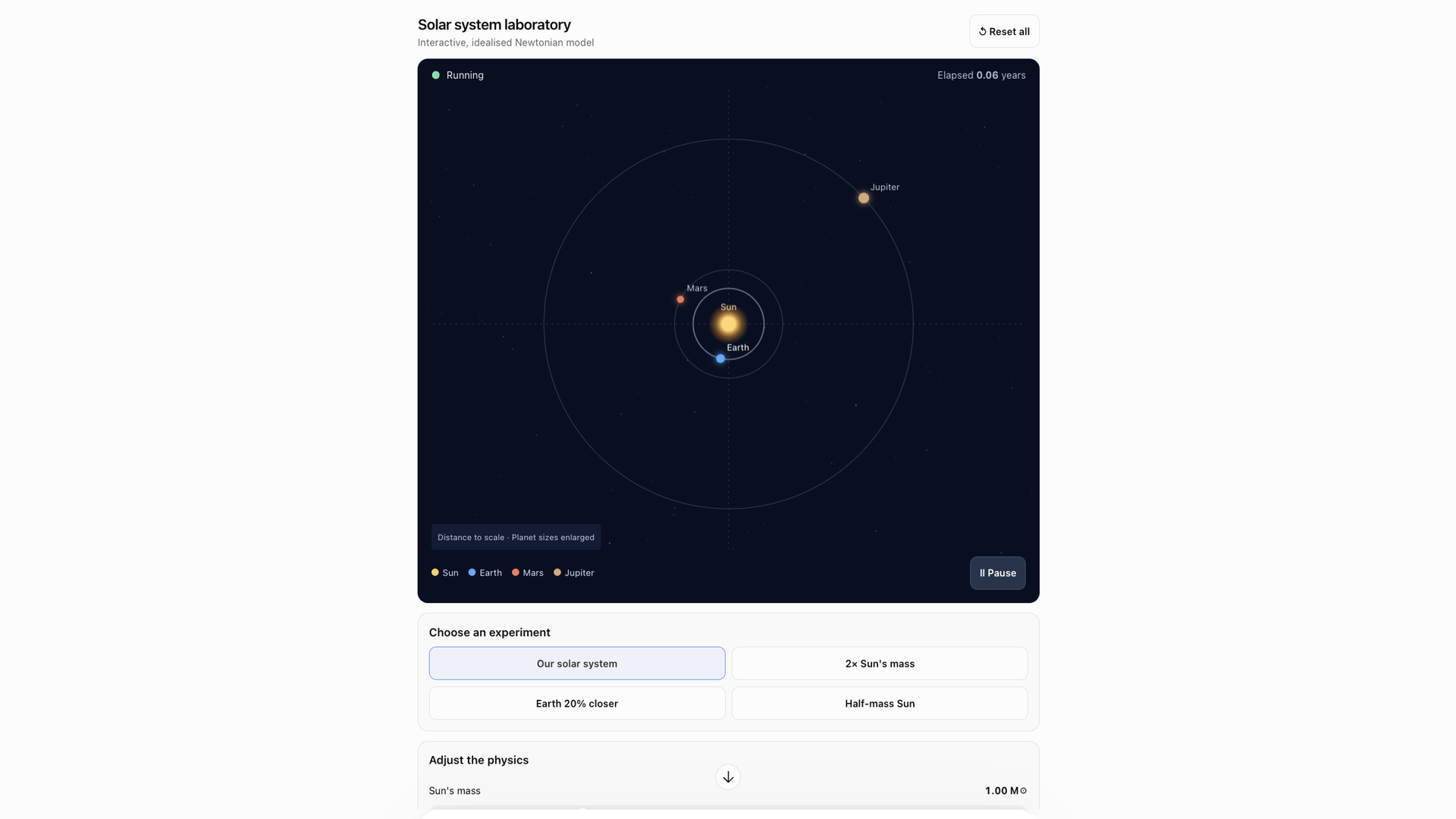
For a solar system simulator, the prompt was deliberately specific: show the Sun, Earth, Mars and Jupiter with orbits, provide sliders for the Sun’s mass, Earth’s orbital distance and time speed, and add reset and preset experiment buttons such as a Sun with twice its mass or Earth moving 20% closer. The visualization was also asked to show predicted consequences for orbital period, gravitational force and planetary conditions.
ChatGPT followed the detailed instructions and produced a tool with clear learning potential. But a convincing visualization does not guarantee accurate physics or calculations, and the model’s scientific correctness could not be judged by appearance alone.
A travel dashboard with adjustable budget
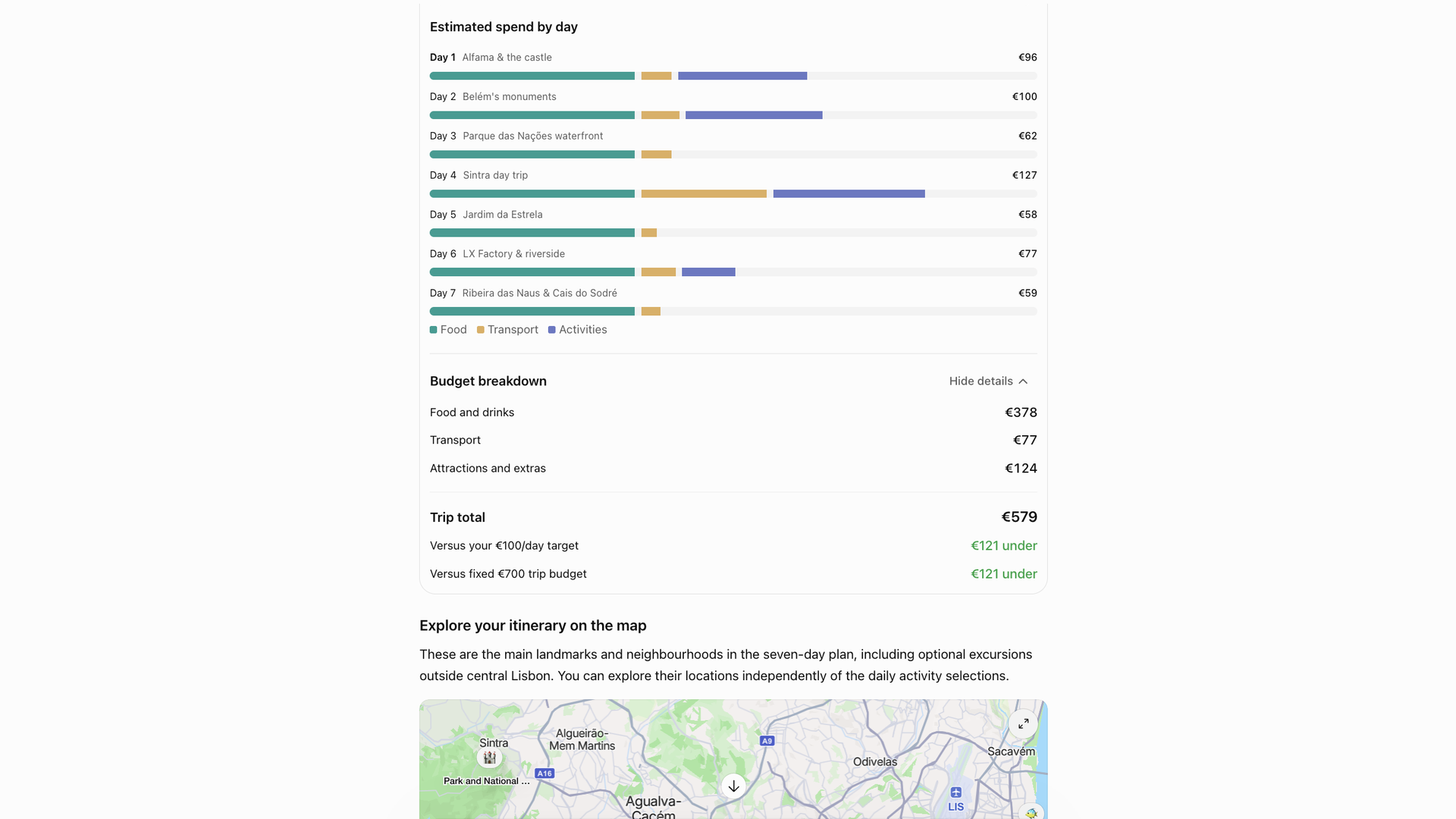
A holiday planner prompt imagined a seven-day trip to Lisbon for two people and requested a visual itinerary with an interactive map, daily activity cards, estimated spending and a running budget total that would update when preferences changed.
ChatGPT returned a travel guide with a budget breakdown and an adjustable itinerary. The itinerary itself was not especially exciting and lacked the personality and local knowledge of good travel writing, but keeping everything in one dashboard had appeal. The most useful part was adjusting budget and preferences to see immediate effects on the itinerary and estimated costs. Given ChatGPT’s past tendency to invent flight details, though, any booking would still require independent verification.
Pulling colors from an
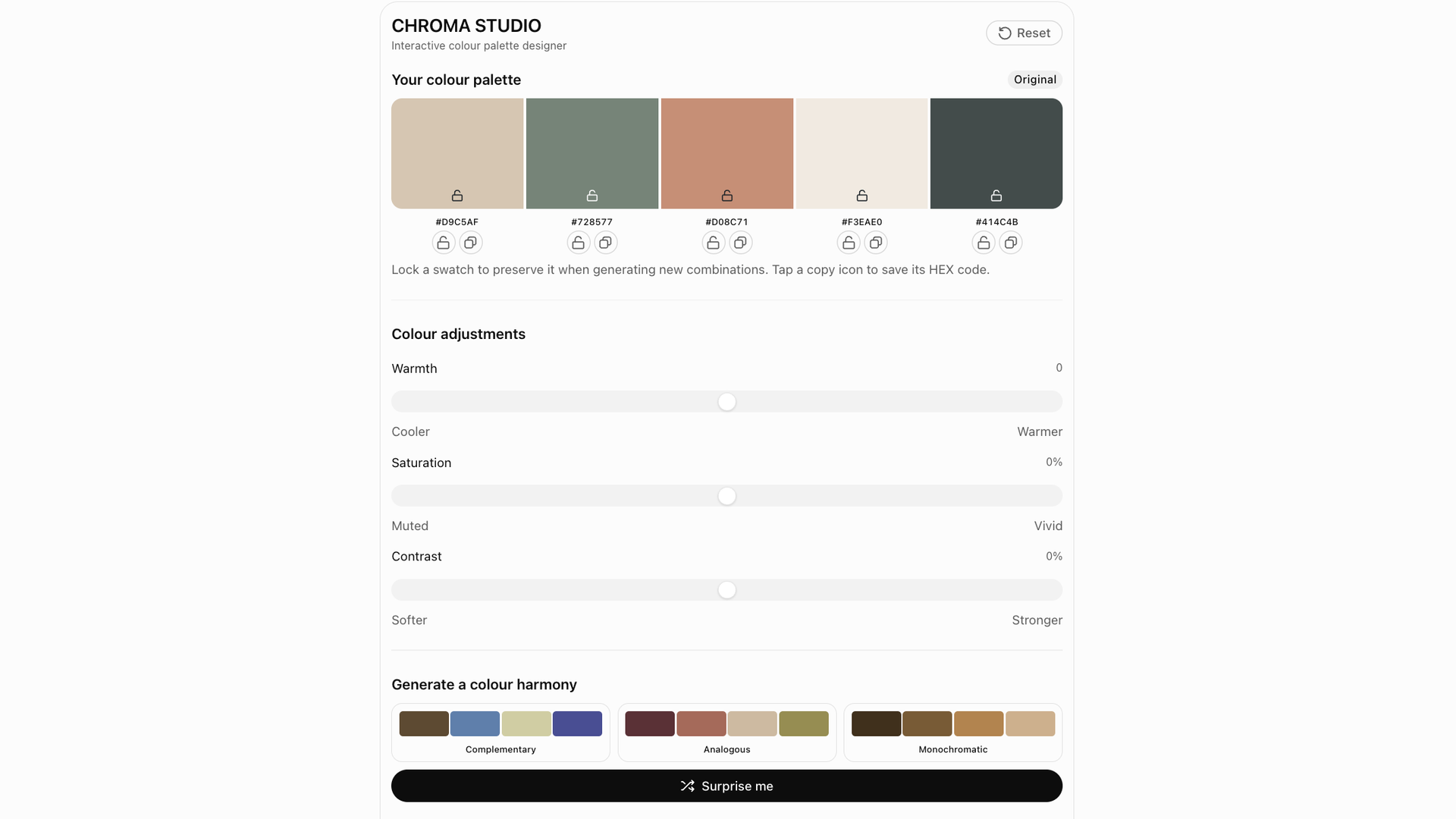
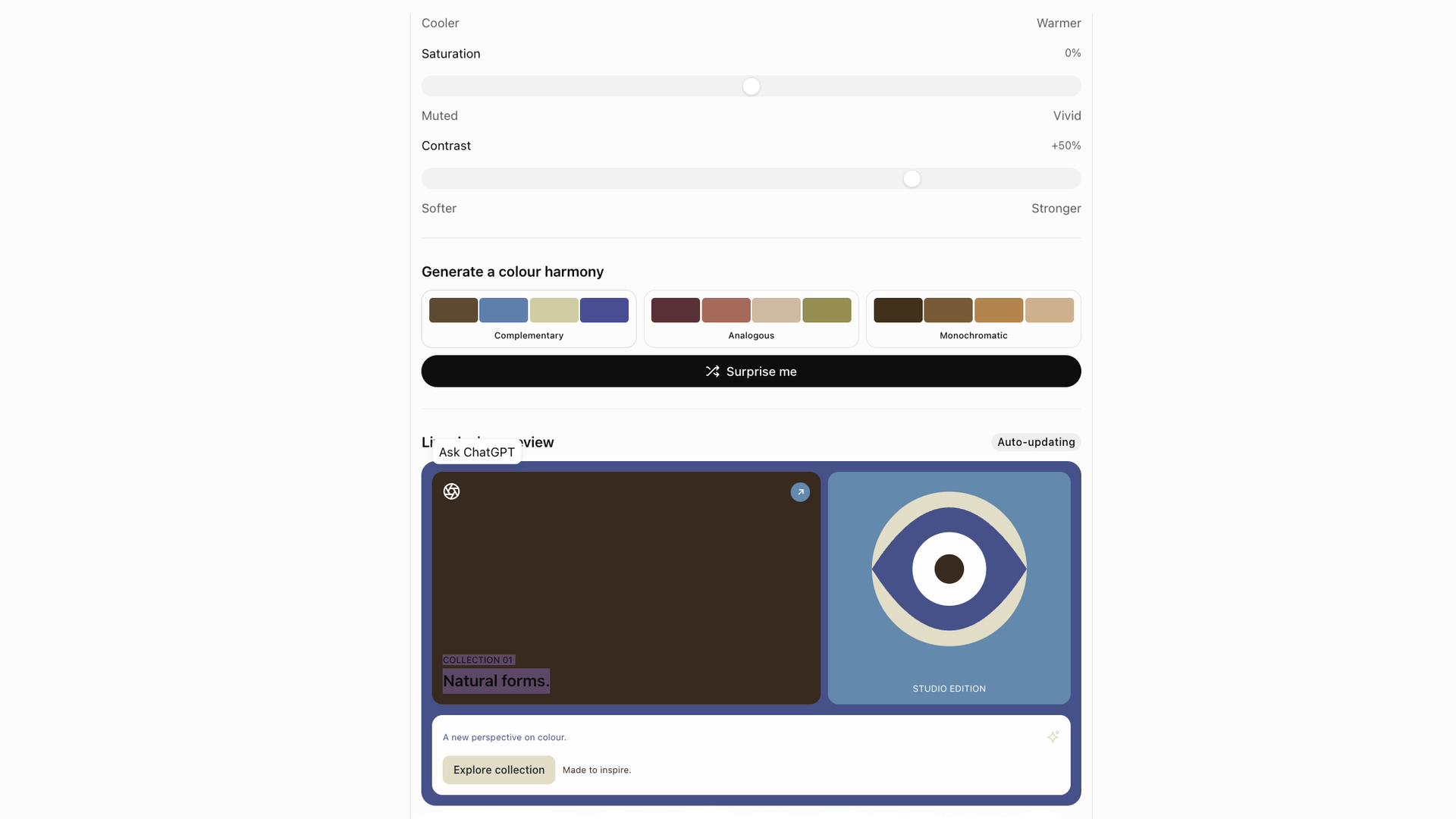
A color palette designer prompt supplied a and asked ChatGPT to analyze its main colors, build a visual interface for experimenting with combinations, include hex codes for website redesign work and add interactive controls.
This was the most practical experiment. Pulling colors directly from an , seeing the hex codes and tweaking combinations interactively felt useful rather than novel. Any palette would still need a check for readability, contrast and accessibility before use.
What the experiments show

The six tools were not equally valuable. Some felt genuinely practical; others were closer to gimmicks. The strongest results came when ChatGPT was treated as something to guide carefully rather than as a magic machine. Tweaking prompts, customizing controls and iterating on the result made the difference between a tool that is useful beyond a few minutes and one that merely looks impressive.
A polished, interactive interface also does not guarantee trustworthy calculations, reliable travel advice or sound scientific modeling. Dedicated apps still have an edge in reliability and refinement, but the feature shows real potential for customizable, single-purpose tools built inside a conversation.